A plan as a page
lely ui makes one HTML file of a plan — plan.html, beside the plan — and opens it in a
browser when run at a terminal.
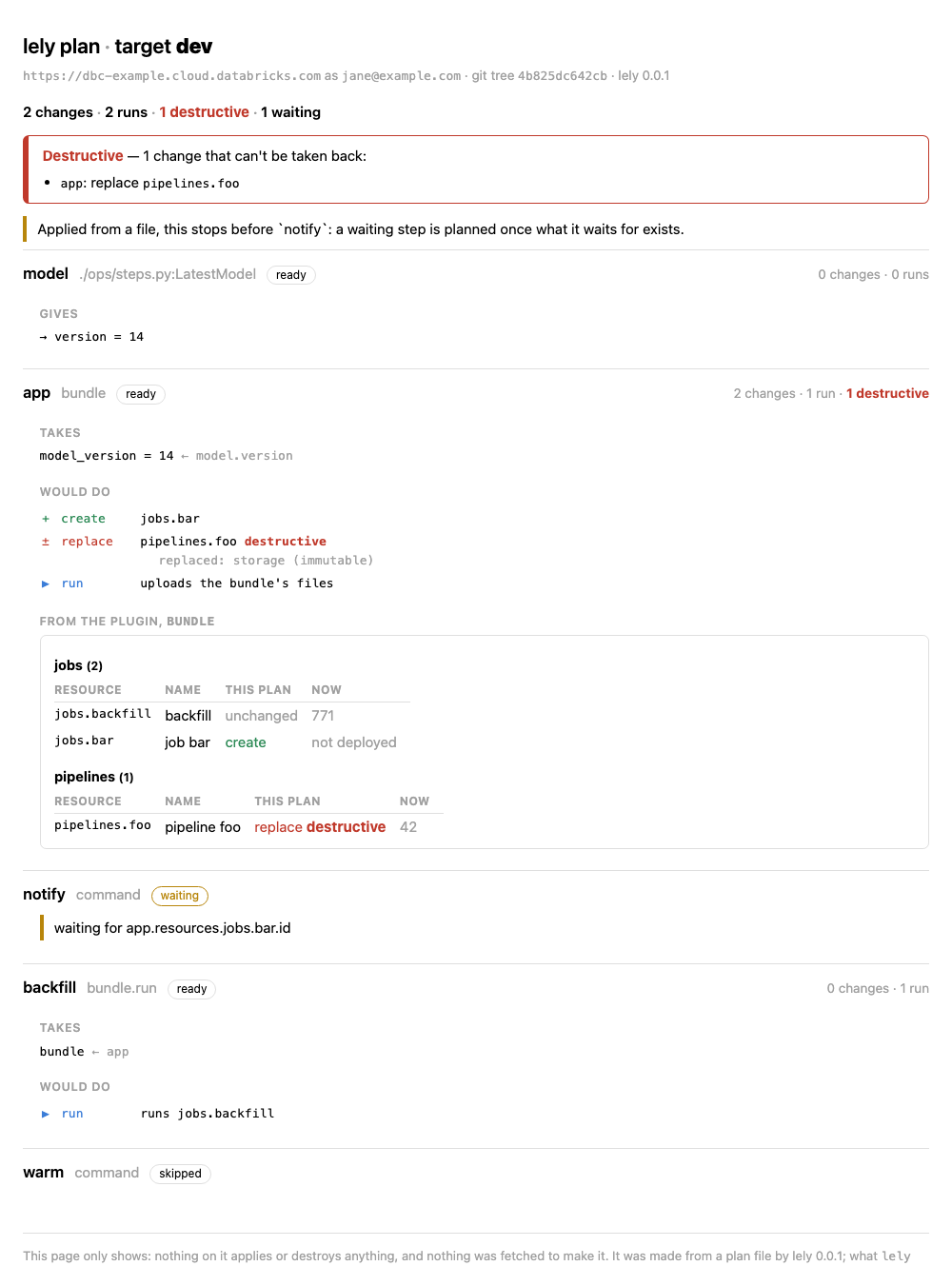
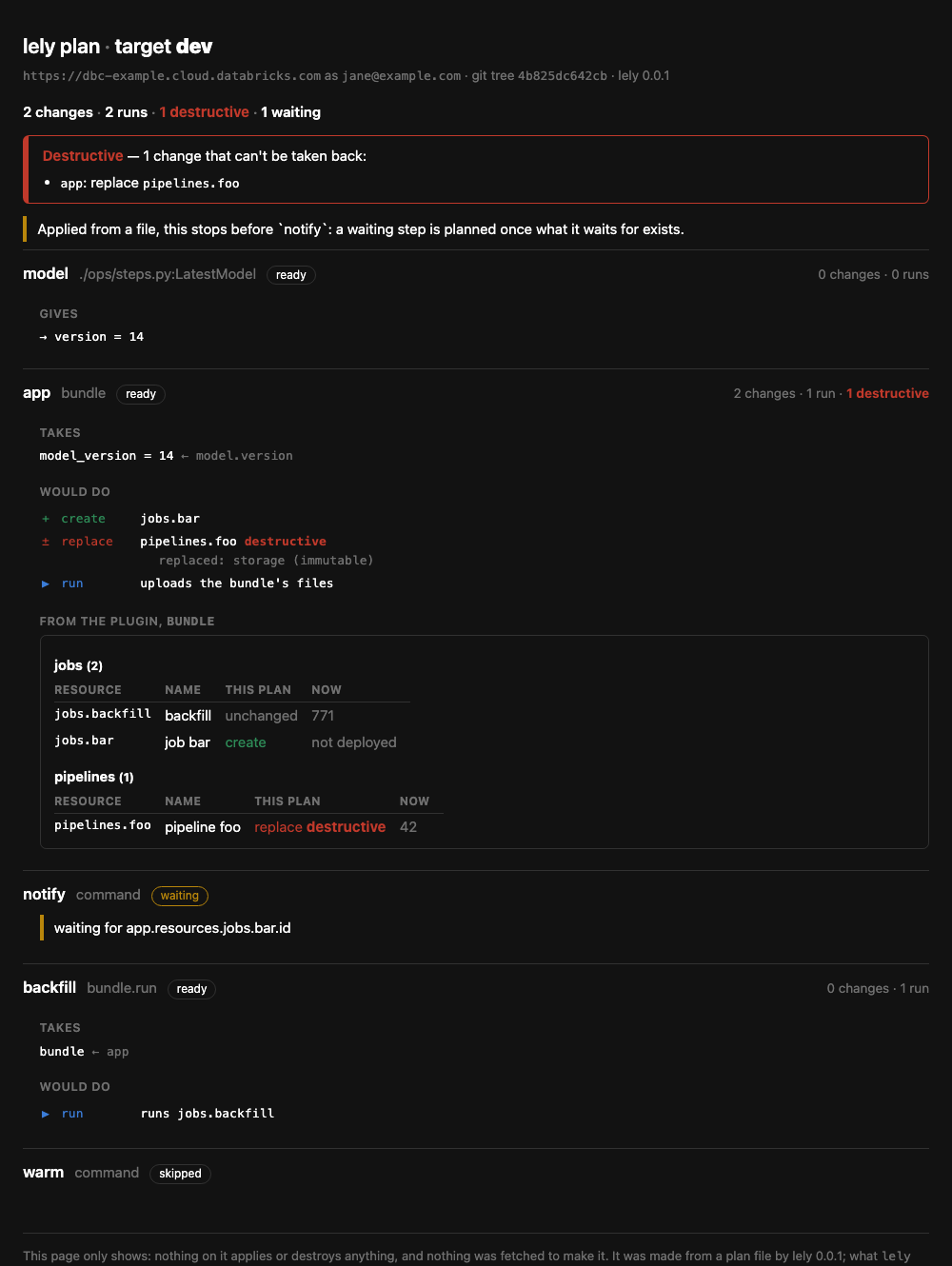
- Every step has a section of its own, in the order the steps run: what it takes, what it would do, what it gives.
- Destructive changes can't be missed: counted where the page opens, named there, and carrying the word on every line — not only a colour.
- Each plugin's own picture of its step stands under lely's list of changes. The bundle shows every resource it declares, by type, with what the plan does to each — the ones it leaves alone too, which no list of changes names.
It only shows
One file, nothing fetched, nothing run: the style sheet is inline, there is no script, and the page tells the browser to allow nothing else. It opens from disk, survives being attached to a pull request, and reads the same on any machine with the network off.
There is no button that applies or destroys, no server and no credentials. Making the page needs no workspace and runs none of the project's code — a plan file from anywhere is safe to open.
A run, as a page
apply -o and destroy -o write a record of the run, and lely ui shows it the same way:
what each step did, and what exists now, with links into the workspace.
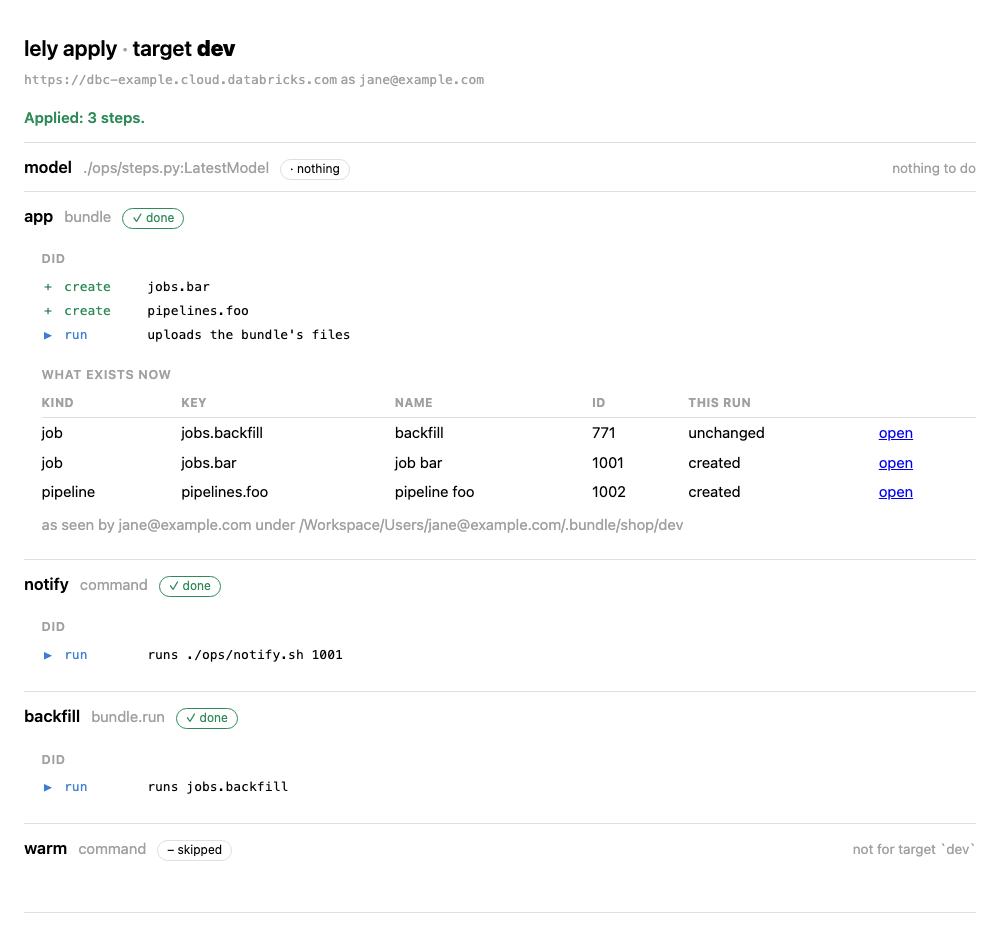
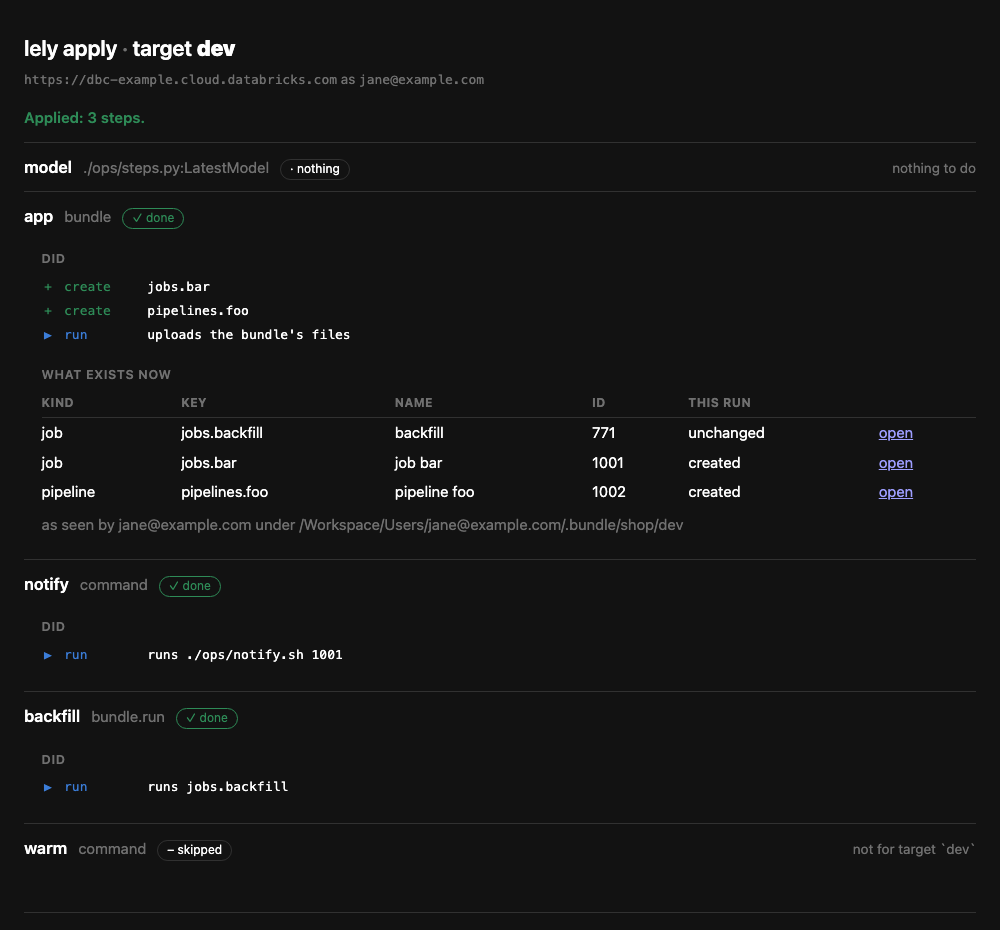
The record is something the project keeps or throws away. lely never reads one back to decide anything: it is a record, not state.
Options
-o page.html |
Where to write the page. -o - writes it to stdout. |
--open / --no-open |
Open it in a browser, or don't. At a terminal it opens; elsewhere it doesn't. |
Without -o, an existing file of that name is written over only when it is a page lely made
before.